HeadHunter (hh.kz / hh.ru) is the primary source of candidates for companies in Kazakhstan and Russia. But managing it manually means burning hours on routine tasks: checking applications, copying resumes, transferring data, sending replies. HRStream solves this problem with a deep HeadHunter integration — automatic application processing, cold search through the resume database, and AI candidate scoring, all within a single interface. In this article, we break down every feature and show how it works in practice.
The Problem: Why Working with HeadHunter Manually Is Inefficient
A typical recruiter's day without an ATS integration looks like this:
- Log in to hh.kz, check new applications across 5–10 job postings.
- Open each application, review the resume, make a decision.
- Copy the qualified candidate's data into Excel or Google Sheets.
- Switch to a messenger app, write to the candidate.
- Return to the spreadsheet, update the status.
- Repeat 50–200 times per day.
The result: 3–4 hours of pure time spent on manual application processing. Meanwhile, 60–70% of applications are irrelevant, so the recruiter wastes time reviewing them instead of focusing on the best candidates.
Cold sourcing adds more friction: switching back and forth between hh.kz tabs and your working environment, manually copying contact details, duplicate entries in the database. Every context switch means lost focus and productivity.
The Solution: Full HRStream + HeadHunter Integration
HRStream integrates with HeadHunter at the API level, enabling automation of two key processes: processing inbound applications and actively sourcing candidates. Let's look at each in detail.
Automatic Application Processing from hh.kz / hh.ru
This is the integration's flagship feature, saving recruiters up to 70% of time on initial processing. Here's how it works, step by step.
Step 1: Connect Your HeadHunter Account
In HRStream settings, the recruiter authenticates via OAuth 2.0 — a standard, secure protocol that requires no password sharing. The connection takes 30 seconds: click "Connect HeadHunter" in Settings, log in to hh.kz, and grant access. HRStream then gains access to your job postings and applications.
Step 2: Sync Your Job Postings
HRStream automatically loads your active job listings from HeadHunter. For each posting, you can configure a mapping — specifying which HRStream hiring pipeline the applications should enter. This is especially useful when you have different hiring processes for different role types: IT candidates go through a technical interview, while sales managers complete a case assignment.
Step 3: Automatic Application Intake
The moment a candidate applies to your posting on hh.kz, HRStream automatically:
- Parses the resume — extracting full name, contact details, work history, skills, education, desired salary, and 30+ other fields from the HeadHunter resume.
- Creates a candidate profile — in the unified HRStream database. If the candidate already exists (matched by email or phone), the system updates their profile rather than creating a duplicate.
- Links them to the job posting — the candidate is automatically placed into the first stage of the hiring pipeline (e.g., "New Application").
- Triggers AI screening — if an AI interviewer is configured for the position (more on that below).
The entire process — from the application on hh.kz to the candidate appearing in your pipeline — takes less than 30 seconds, with zero clicks from the recruiter.
Step 4: Candidate Deduplication
Duplicate candidates are one of the most common pain points in recruiting. One person may apply to multiple positions, or their resume may already exist in your database from a previous search. HRStream automatically checks for matches by email, phone, and name, and instead of creating a duplicate, links the new application to the existing candidate profile. You see the full history: which positions they applied for, which stages they completed, what scores they received.
AI Candidate Scoring: Automatic Application Screening
Automatic application intake is great — but the real magic begins with AI screening. HRStream uses artificial intelligence to automatically score every candidate who comes in through HeadHunter.
How AI Screening Works
For each position, you configure a set of screening questions — the key criteria that matter for the role. For example:
- "Do you have 3+ years of Python experience?"
- "Are you open to business travel?"
- "What are your salary expectations?"
- "Do you speak Kazakh?"
- "Do you have experience managing a team?"
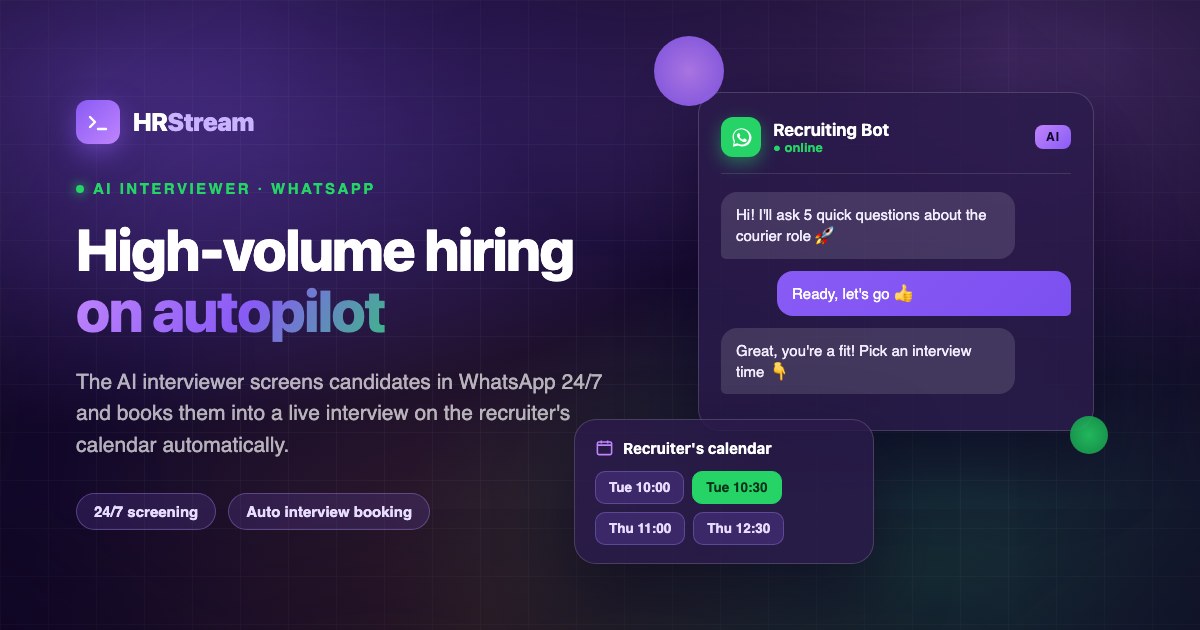
When a candidate arrives from HeadHunter, HRStream's AI interviewer automatically reaches out via WhatsApp (if a number is available in the resume) or web chat and conducts the screening interview.
What the AI Interviewer Does
- Greets the candidate — introduces itself, names the company and position, and explains the format of the brief interview.
- Asks the questions — poses the screening questions in sequence, adapting the phrasing to the flow of the conversation.
- Analyzes the responses — the AI understands free-form text: if a candidate writes "worked with Python for 4 years at a bank," the system recognizes 4 years of Python experience. No need for templated yes/no answers.
- Scores the fit — the candidate receives a score for each criterion, and an overall rating is generated automatically.
- Generates a screening summary — the recruiter receives a card with the candidate's answers, scores for each criterion, and the AI's overall recommendation: "Recommended," "Conditional fit," or "Does not meet requirements."
The Result: A Ready Shortlist with Zero Manual Work
Instead of manually reviewing 100 applications, the recruiter opens the job posting in HRStream and sees an already-sorted candidate list:
- Green zone (85–100%) — candidates who fully meet requirements. The recruiter invites them to the next stage.
- Yellow zone (50–84%) — partial match. Worth a closer look — one criterion may not be critical.
- Red zone (0–49%) — do not meet the key requirements. Automatic polite rejection (if configured) or placed in a pool for future openings.
Time saved: the recruiter spends 10–15 minutes instead of 3–4 hours reviewing 100 applications. And the screening quality is higher, because AI checks every candidate against all criteria — whereas a human starts to skim details after the 50th resume.
AI Screening Runs 24/7
The AI interviewer doesn't take lunch breaks, doesn't get sick, and doesn't wait for Monday. A candidate applies on Saturday at 11 PM — a minute later they receive a screening invitation. They complete it in 5 minutes — and Monday morning the recruiter already has the results waiting. For the candidate, this is a plus too: instant feedback instead of a week of silence.
Cold Sourcing: HeadHunter Directly from HRStream
Applications are a passive flow. But the best candidates often need to be found proactively. HRStream integrates HeadHunter's resume database search directly into its own interface.
How Cold Sourcing Works
- Open the search in HRStream — the "HeadHunter: Search" section is available in the main menu. No need to switch to an hh.kz tab.
- Set your filters — keywords, job title, experience level, salary expectations, city, education, skills. The filters fully replicate HeadHunter's native search capabilities.
- Browse the results — resumes are displayed in HRStream's format, with key skills and experience highlighted. You can immediately see how well each candidate fits.
- Add to your pipeline with one click — found the right candidate? Click "Add to Position," select the role and pipeline stage. The candidate profile is created automatically with data from the HeadHunter resume.
Advantages of Searching via HRStream vs. hh.kz Directly
- No context switching. Search, review, add to pipeline — all in one window. On hh.kz, you have to copy data manually.
- Deduplication. HRStream will alert you if a candidate is already in your database — with their full interaction history and previous scores.
- Instant screening launch. After adding a candidate, you can immediately trigger AI screening — no need to wait for them to apply on their own.
- Team visibility. Colleagues can see which candidates you're already working with, so they don't duplicate effort.
Automatic Status Updates and Feedback on HeadHunter
HRStream syncs candidate statuses back to HeadHunter. When you move a candidate through the pipeline in HRStream, their application on hh.kz is automatically updated:
- Moved to "Interview" stage → hh.kz status updates to "Invitation to interview."
- Moved to "Rejected" stage → hh.kz status updates to "Rejected" with a reason noted.
- Offer sent → corresponding status on hh.kz.
This matters for employer branding: candidates can see that the company processes applications promptly. According to hh.kz data, 73% of candidates view companies negatively when they receive no feedback. Automatic status syncing resolves this issue without any extra effort from the recruiter.
HeadHunter Analytics in HRStream
HRStream collects detailed analytics on your HeadHunter activity:
- Application volume by position — which jobs attract the most candidates, which need additional promotion.
- Application conversion rates — what percentage of hh.kz applications reach the interview, offer, and hire stages. Compared against other sources.
- Candidate quality — average AI score for HeadHunter applications vs. other channels. Helps evaluate the effectiveness of your job description.
- Processing time — average time from application to first contact. With automation, this is minutes; without it, hours or days.
- Cold search effectiveness — how many candidates were sourced through search, and what percentage agreed to be contacted.
This data helps you optimize job ad copy, choose the right search filters, and evaluate the ROI of a HeadHunter resume database subscription.
Real-World Use Case: How It All Works Together
Let's walk through a complete cycle using the example of a "Frontend Developer" vacancy at an IT company in Almaty.
Day 1: Setup
- The recruiter creates the position in HRStream and configures the pipeline: Application → AI Screening → Technical Interview → Offer → Hired.
- Adds 5 screening questions for the AI: React experience, TypeScript, commercial experience, salary expectations, willingness to work on-site or hybrid.
- Posts the job on hh.kz (via HRStream or directly).
- Configures the mapping: applications from hh.kz → "Frontend Developer" pipeline.
Days 2–7: Automatic Processing
- 120 applications come in over the course of the week.
- HRStream automatically parses each resume, creates profiles, and launches AI screening.
- The AI interviewer reaches out to candidates via WhatsApp — 85 of 120 respond and complete the screening.
- The recruiter spends zero time on initial processing.
Day 8: Working with Results
- The recruiter opens the position in HRStream and sees the ranked list: 12 candidates in the green zone (85%+), 28 in yellow, 45 in red.
- Reviews the top 12: their answers, AI scores, resumes. In 30 minutes, selects 8 candidates for the technical interview.
- Additionally runs a cold search in the HeadHunter database — finds 5 more qualified candidates who hadn't applied. Adds them to the pipeline; AI begins screening.
Summary
Without HRStream: 120 applications × 5 minutes = 10 hours of manual screening. Plus 2–3 hours for cold sourcing and data entry.
With HRStream: 30 minutes to review the ready shortlist + 15 minutes for cold sourcing. Time saved: 12+ hours per week on a single position.
Security and Privacy
The HeadHunter integration is built on the official API with OAuth 2.0 authentication. HRStream:
- Does not store your HeadHunter password — access tokens with limited lifespans are used instead.
- Requests only the necessary permissions (read access to jobs, applications, and resumes).
- Transmits data over an encrypted channel (HTTPS/TLS).
- Complies with Kazakhstan's Law "On Personal Data and Its Protection" — data is stored on servers in Kazakhstan with full encryption.
How to Connect the HeadHunter Integration
Setup takes less than 5 minutes:
- Sign up for HRStream (14 days free, no credit card required).
- Go to Settings → Integrations → HeadHunter.
- Click "Connect HeadHunter" and authenticate via OAuth.
- Select the positions to sync and configure your pipeline mappings.
- Done — new applications will start flowing in automatically.
Frequently Asked Questions
Do I need a paid HeadHunter subscription for the integration?
A standard employer account on hh.kz/hh.ru is sufficient to receive applications. Cold sourcing through the resume database requires access to HeadHunter's resume database (a separate paid service from hh.kz).
How quickly do applications appear in HRStream?
Applications are synced automatically. The average time from an application on hh.kz to the candidate appearing in HRStream is under 1 minute.
Can I connect multiple HeadHunter accounts?
Yes, you can connect multiple HeadHunter accounts within a single HRStream organization — for example, for different departments or branch offices.
Is AI screening mandatory for all applications?
No, AI screening is configured on a per-position basis. You can enable it only for high-volume roles and process specialized positions manually.
What if a candidate doesn't respond to the AI interviewer?
If a candidate doesn't respond within the configured time window (48 hours by default), the AI sends a polite follow-up reminder. If there's still no response, the candidate remains in the pipeline with a "No Response" status, and the recruiter can reach out manually.
Does the integration work with hh.ru (Russia) or only hh.kz?
HRStream is integrated with both hh.kz and hh.ru. You can work with both portals simultaneously from a single interface.
Conclusion
The HRStream + HeadHunter integration is more than just "importing applications." It's full automation of your workflow with the primary candidate source — from the moment an application lands on hh.kz all the way to AI scoring and shortlist generation. Recruiters stop being "data transfer operators" and become strategic hiring partners who focus on the best candidates.
Key benefits:
- Automatic application processing — saving 3–4 hours every day.
- 24/7 AI screening — a ready shortlist without manually reviewing resumes.
- Cold sourcing without context switching — the HeadHunter database, right inside HRStream.
- Deduplication — no duplicate candidates in your database.
- Analytics — data to continuously optimize your recruiting.
Try HRStream free for 14 days and see firsthand how the HeadHunter integration transforms your hiring. Setup takes 5 minutes, and you'll notice the difference from the very first application.